Khởi tạo CloudFormation Template
Khởi tạo CloudFormation Template
Chúng ta thực hiện khởi tạo các tài nguyên để sử dụng cho bài lab.
Cách 1: Tải CloudFormation template
Cách 2: Tải CloudFormation template
-
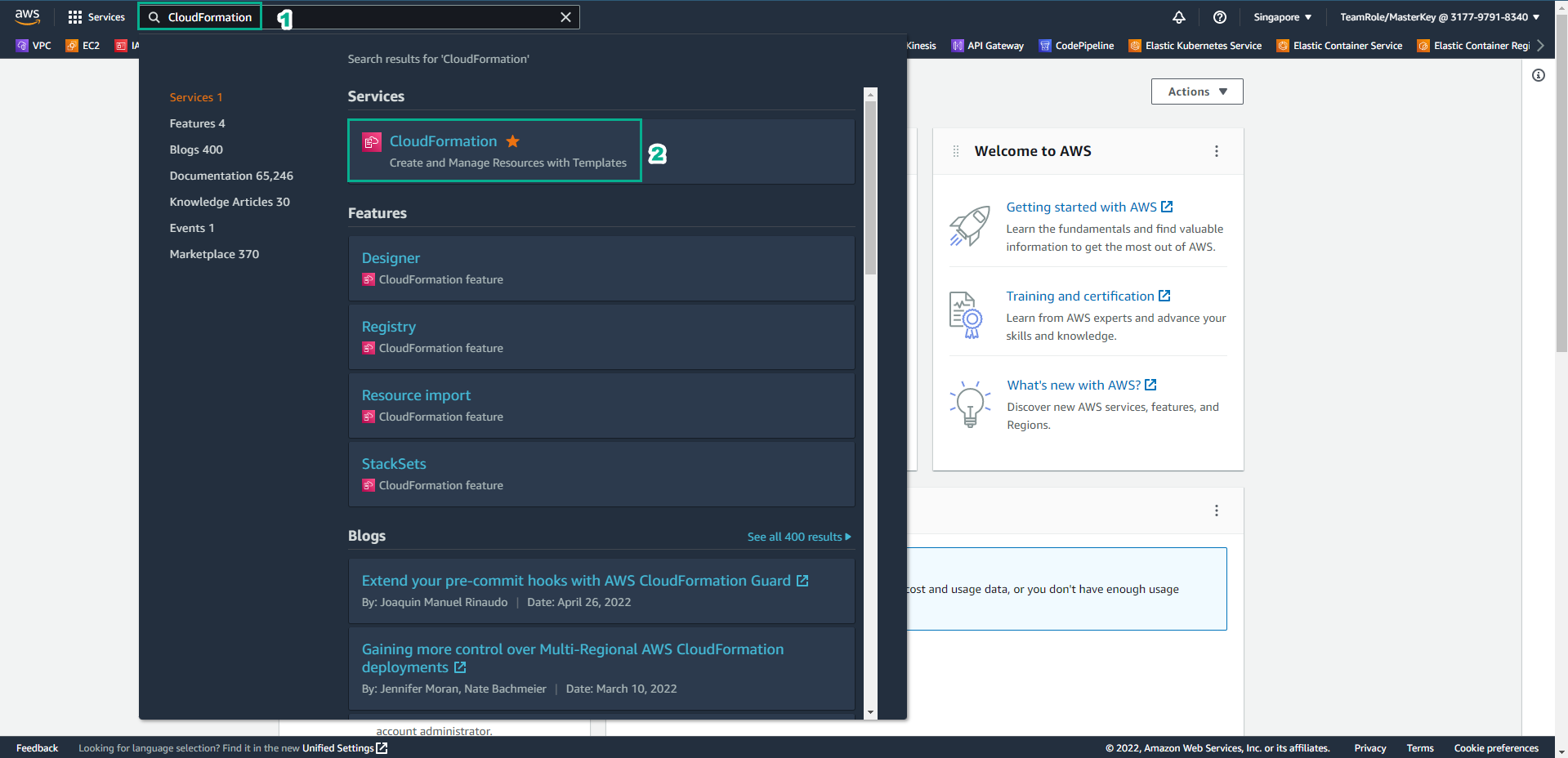
Truy cập vào giao diện AWS Management Console
- Tìm CloudFormation
- Chọn CloudFormation
-
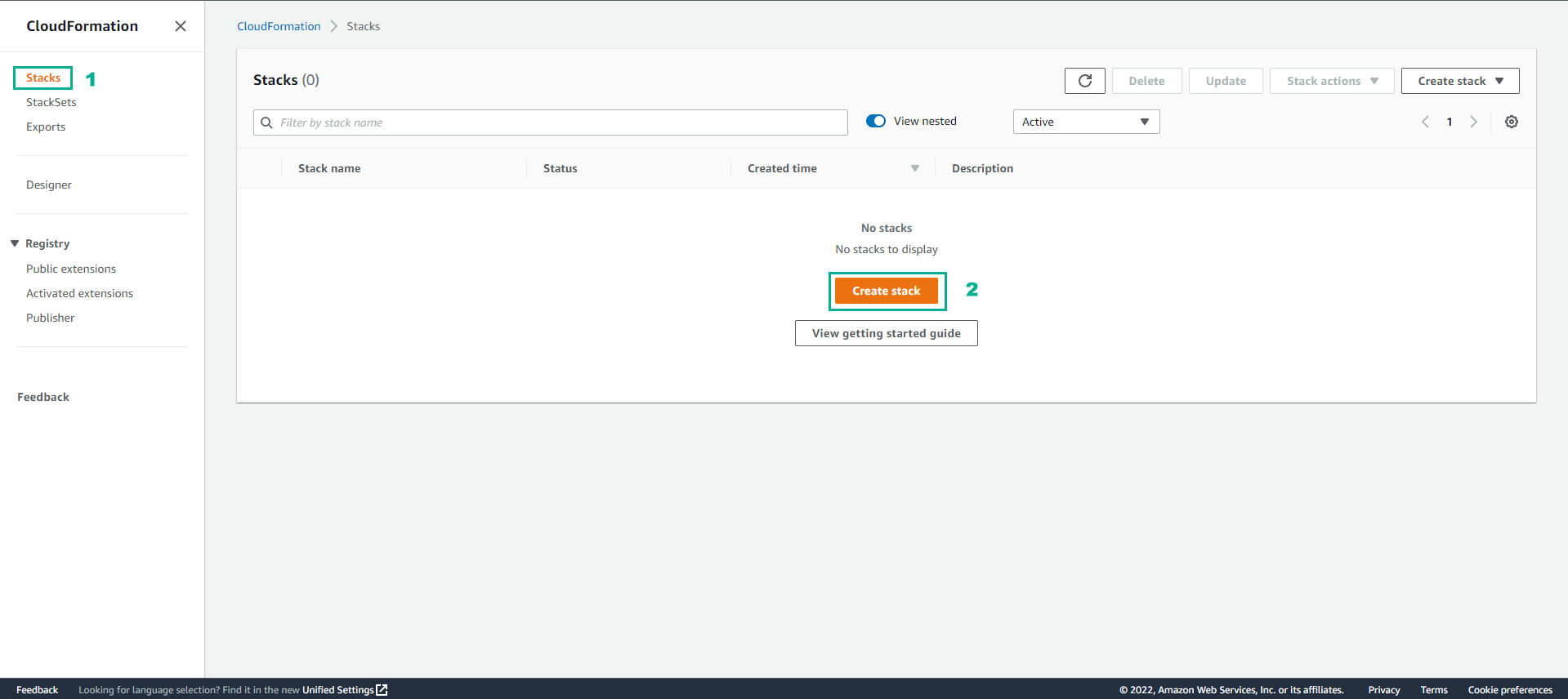
Trong giao diện CloudFormation
- Chọn Stack
- Chọn Create stack
-
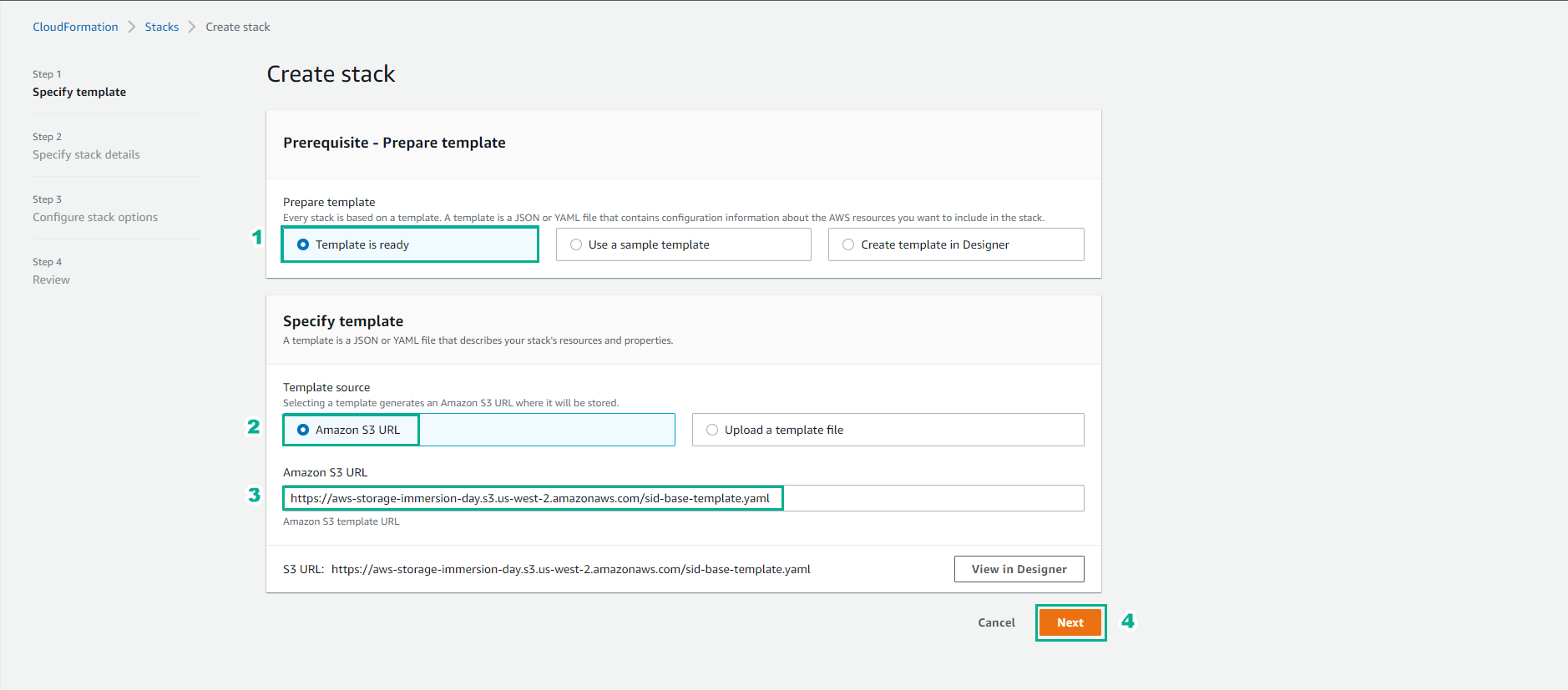
Trong giao diện Create stack
-
Chọn Template is ready
-
Template source, tùy theo cách template về mà bạn chọn
-
Bạn có thể chọn đường dẫn Amazon S3 URL: https://aws-storage-immersion-day.s3.us-west-2.amazonaws.com/sid-base-template.yaml
-
Hoặc cũng có thể upload file.
-
-
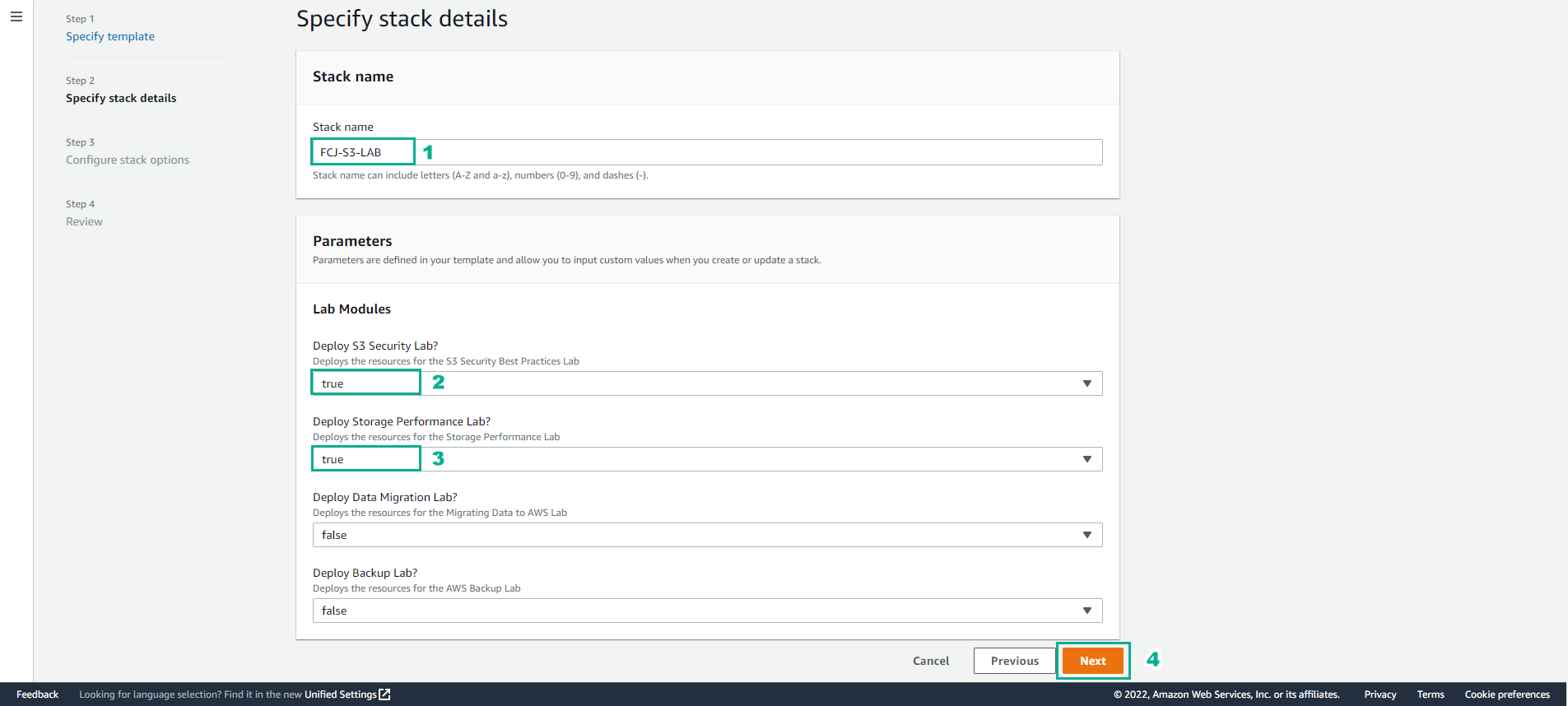
Trong phần này
- Bạn nhập FCJ-S3-LAB đối với Stack name
- Về phần Lab Modules, bạn chọn true đối với Deploy S3 Security Lab (bài lab đang thực hiện) và có thể chọn thêm Deploy Storage Performance Lab(chuẩn bị cho lab tiếp theo).
- Các module khác chọn false
- Chọn Next
- Chọn Next
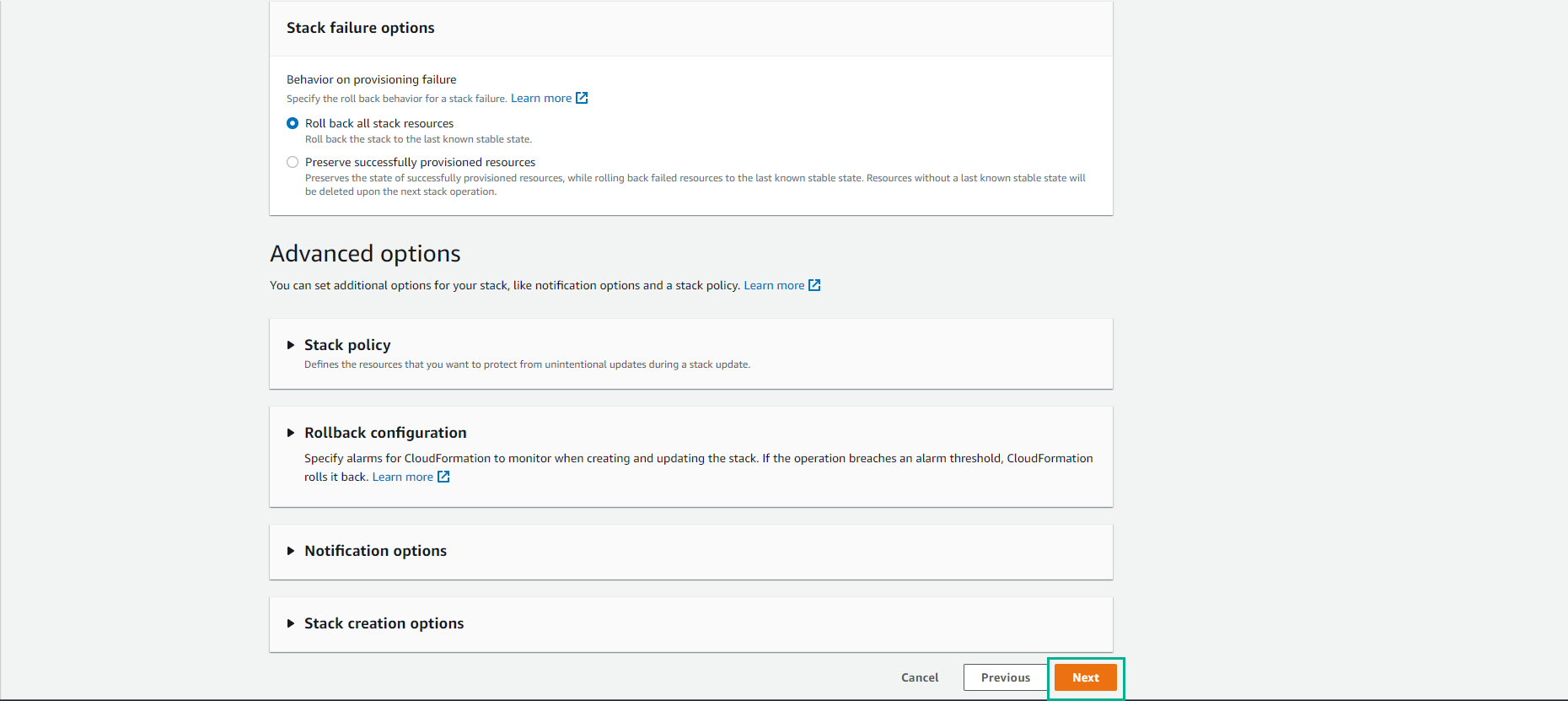
-
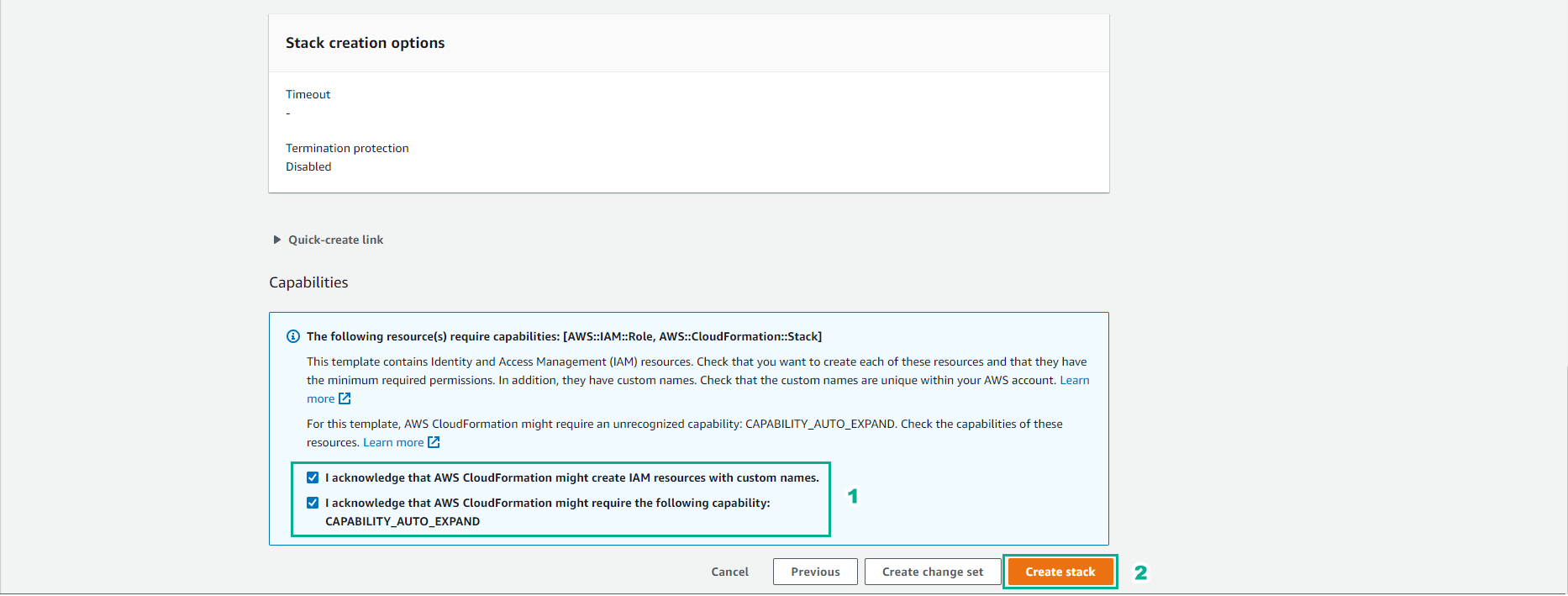
Xác nhận tạo IAM cần thiết
- Chọn I acknowledge that AWS CloudFormation might create IAM resources with custom names.
- Chọn I acknowledge that AWS CloudFormation might require the following capability: CAPABILITY_AUTO_EXPAND
- Chọn Create Stack
-
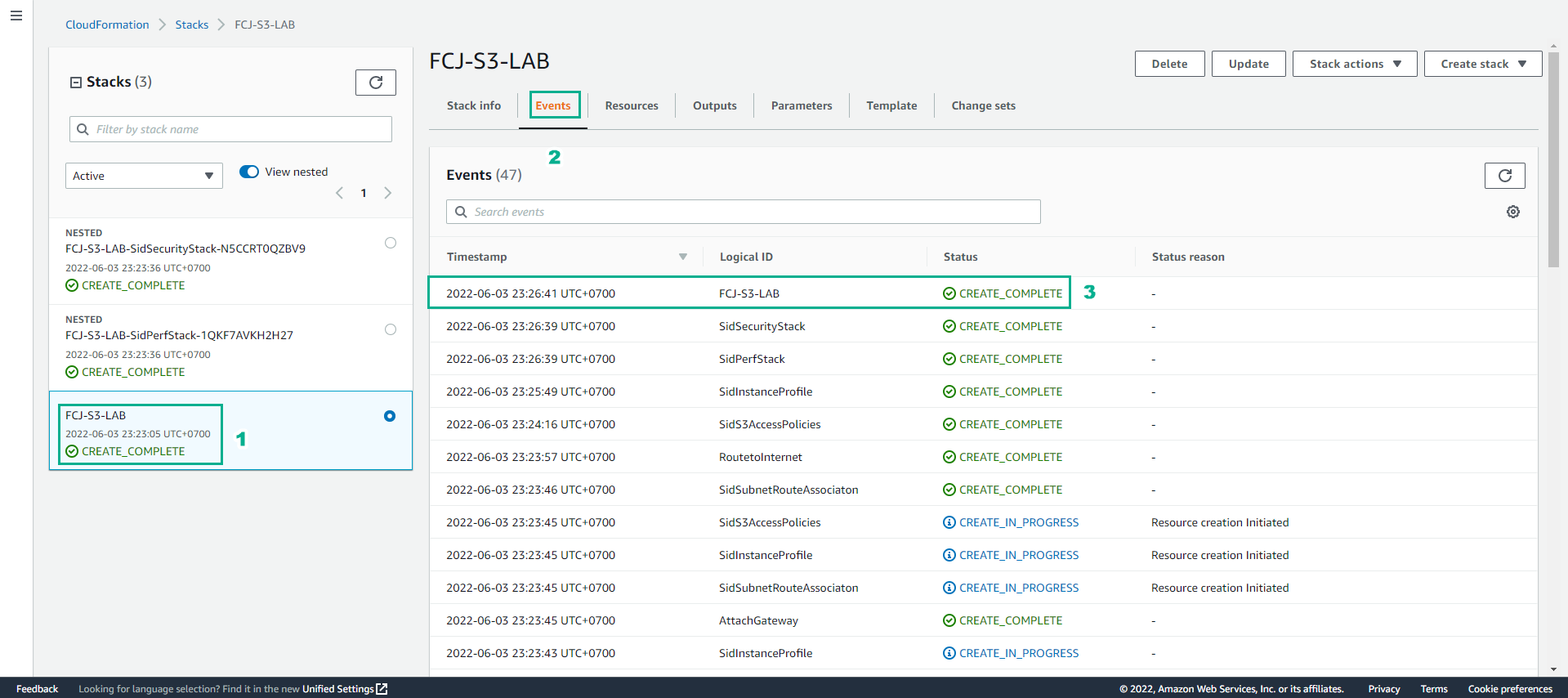
Hoàn thành quá trình tạo Stack
- Khi các status của các stack chuyển sang CREATE_COMPLETE