Launch CloudFormation Template
Launch CloudFormation Template
We perform the initialization of the resources to use for the lab.
Method 1: Download CloudFormation template
Method 2: Download CloudFormation template
-
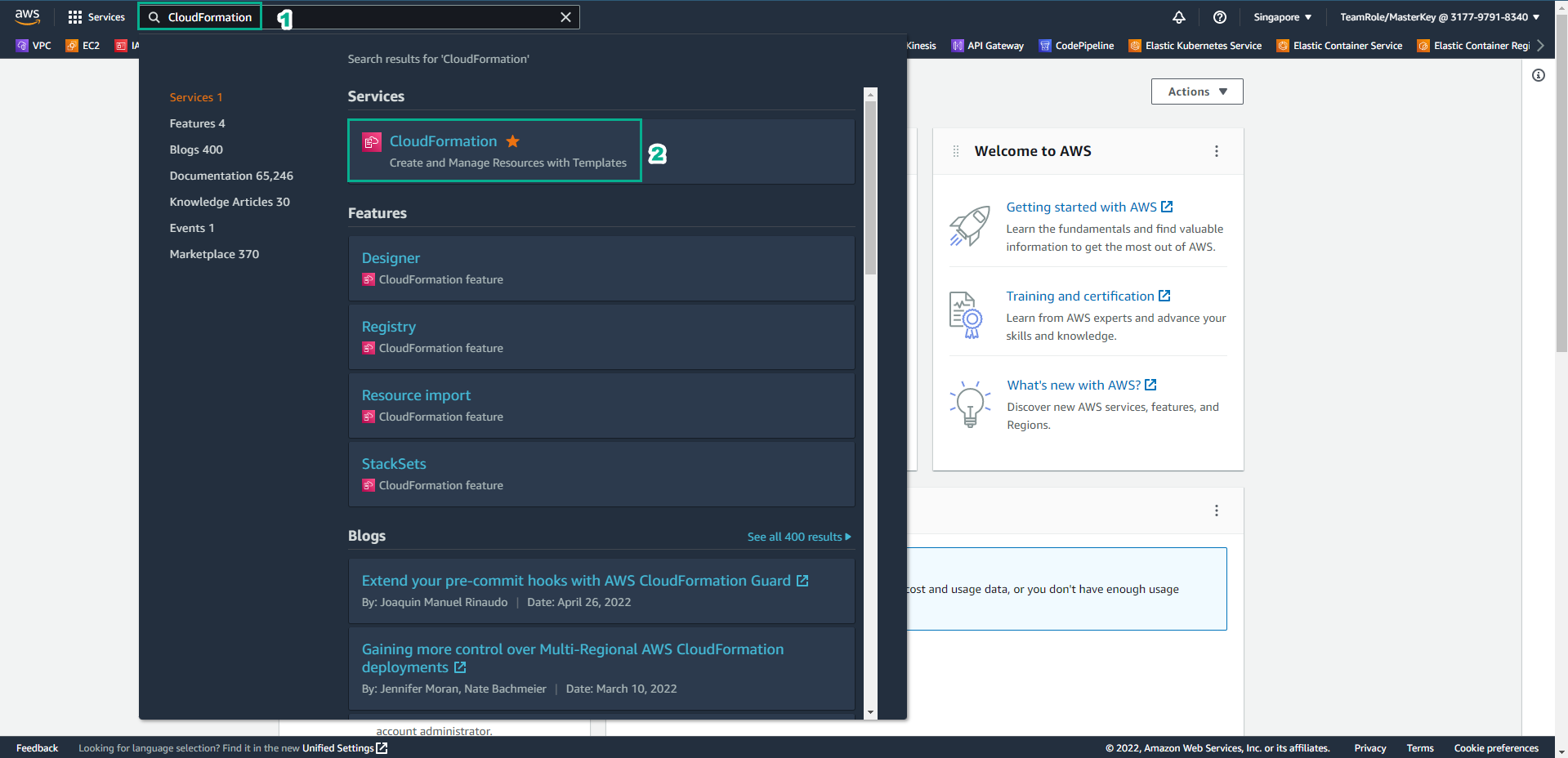
Access the interface AWS Management Console
- Find CloudFormation
- Select CloudFormation
-
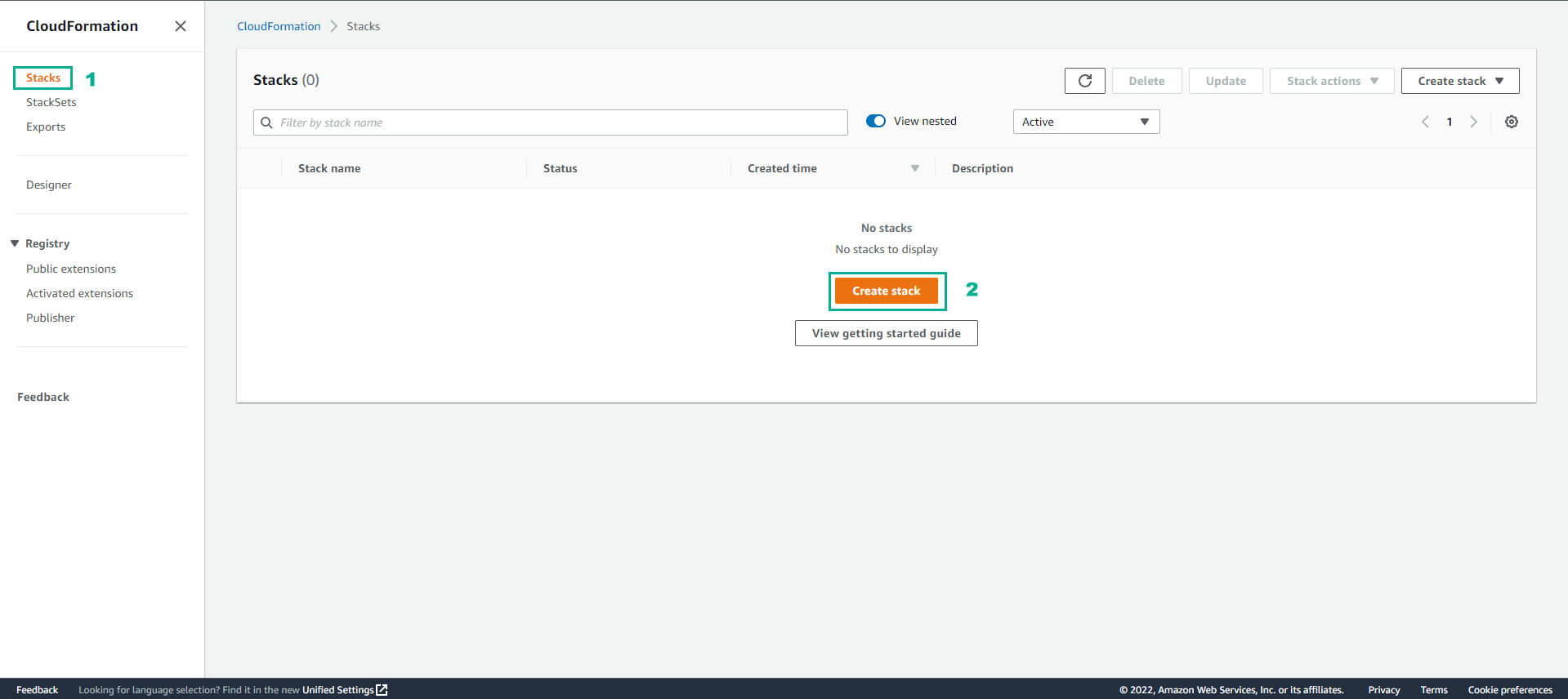
In the CloudFormation interface
- Select Stack
- Select Create stack
-
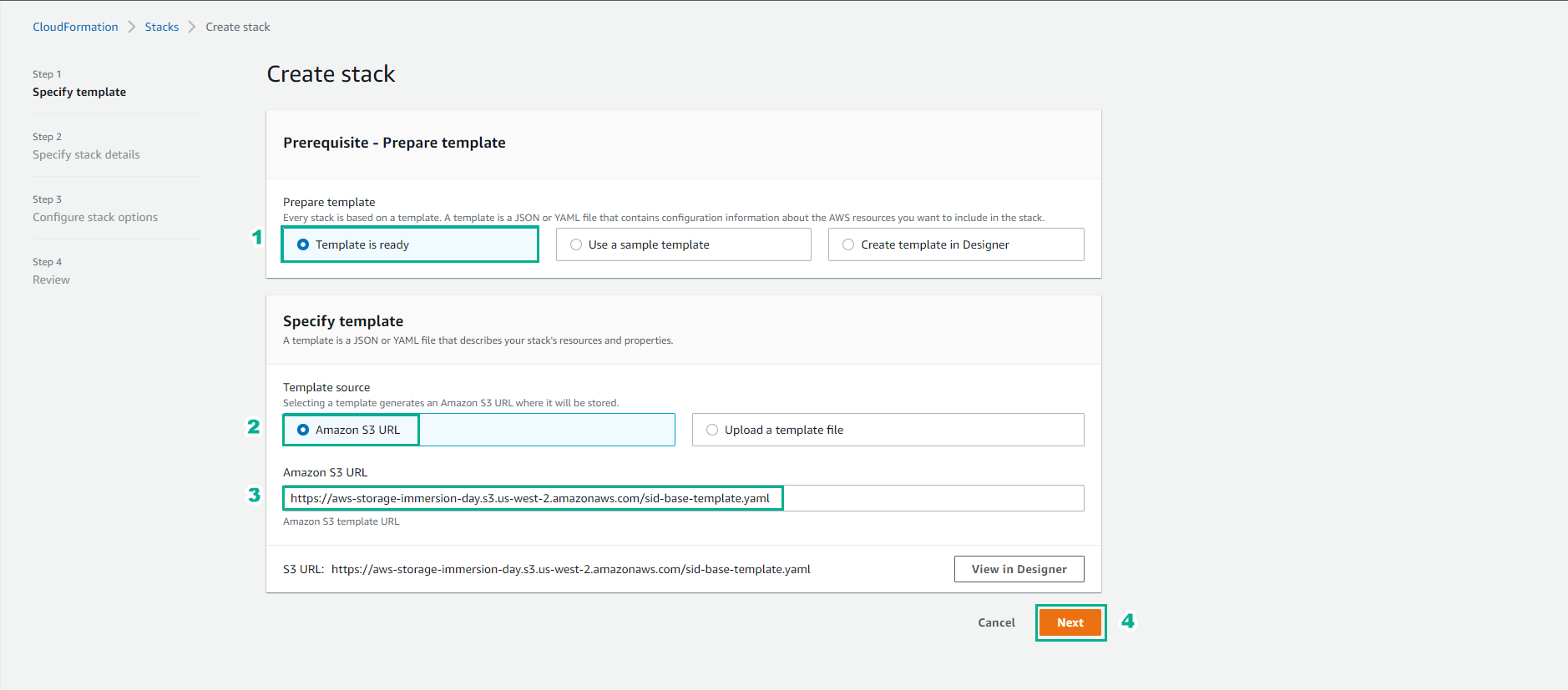
In the Create stack interface
-
Select Template is ready
-
Template source, depending on how you choose the template
-
You can choose the path Amazon S3 URL: https://aws-storage-immersion-day.s3.us-west-2.amazonaws.com/sid-base-template.yaml
-
Or you can also upload files.
-
-
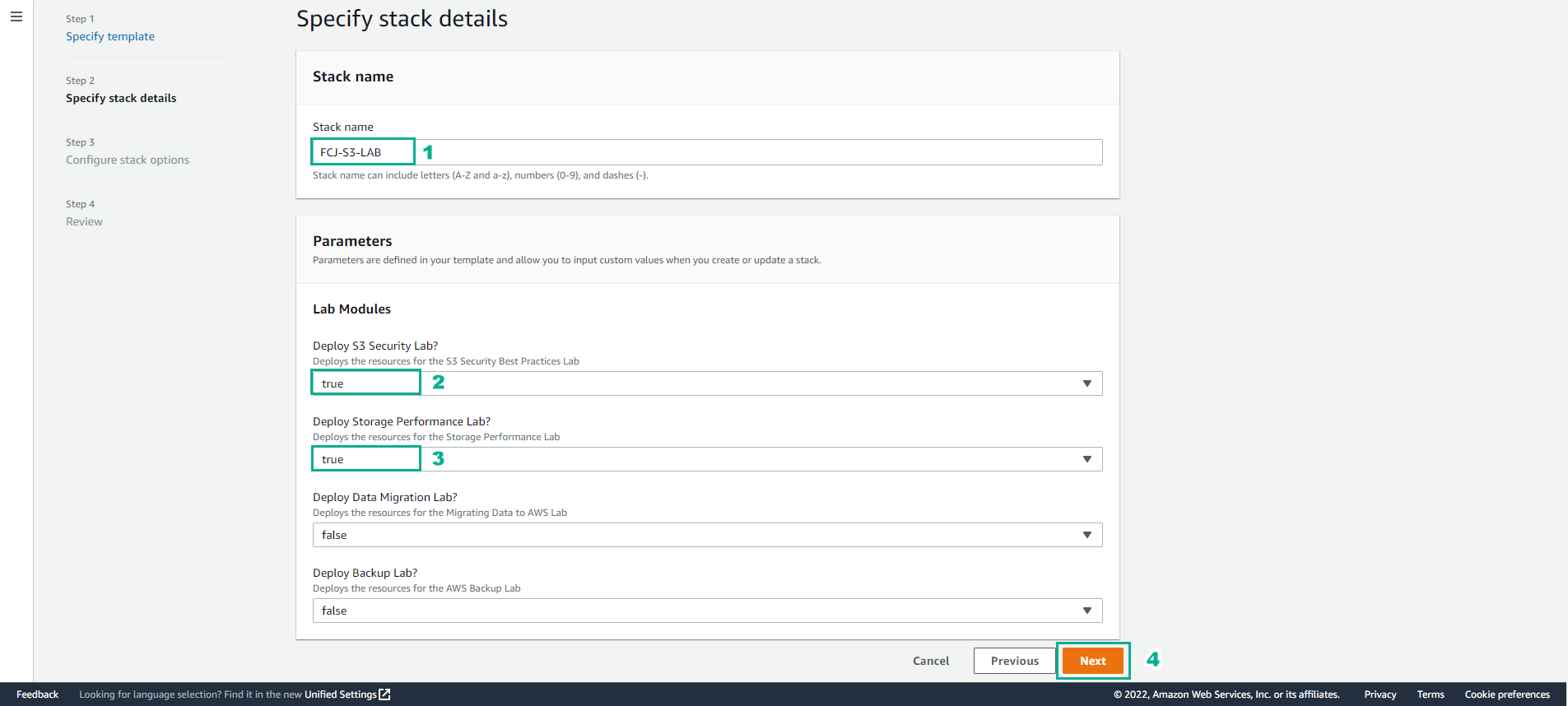
In this section
- You enter FCJ-S3-LAB for Stack name
- Regarding Lab Modules, you choose true for Deploy S3 Security Lab (the lab is in progress) and you can choose to add Deploy Storage Performance Lab (preparing for the next lab).
- Other modules choose false
- Select Next
- Select Next
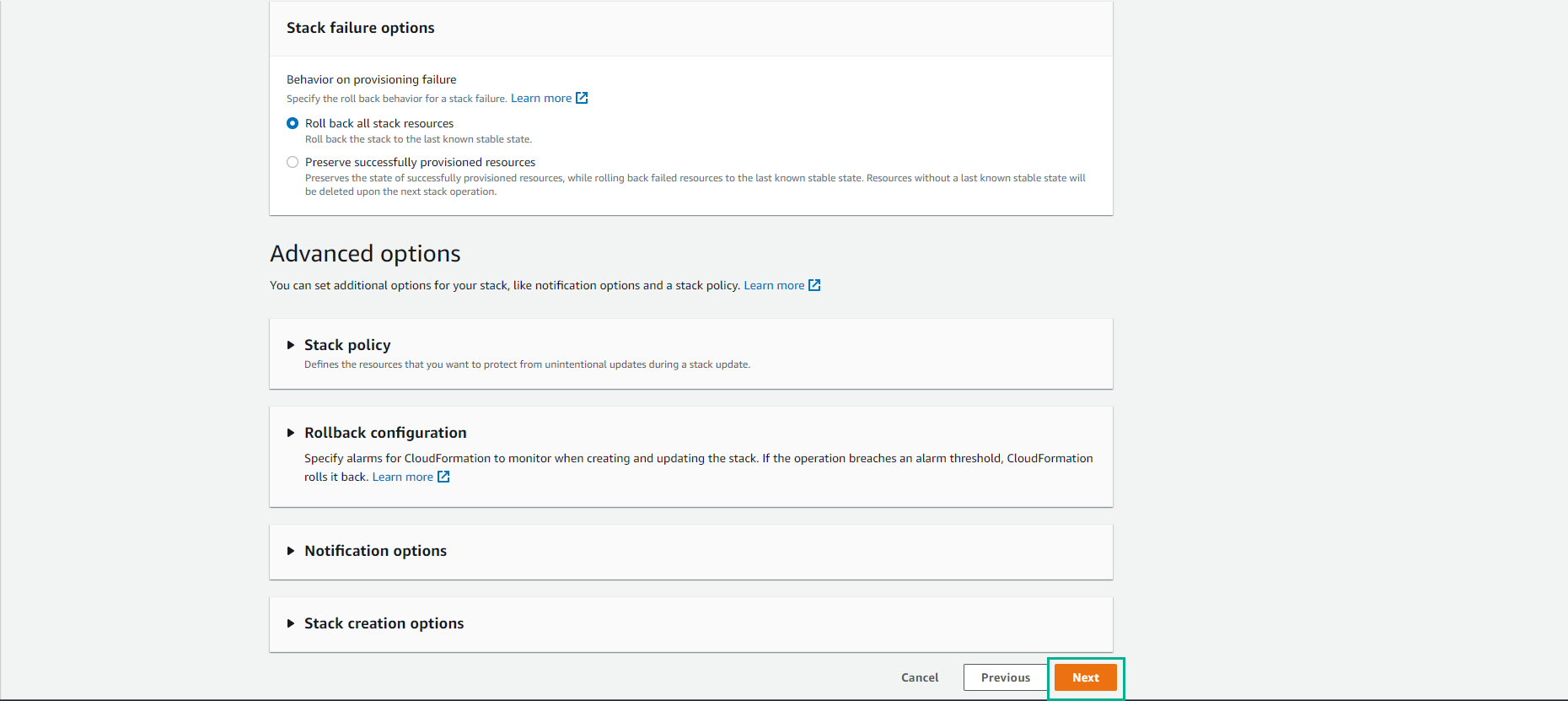
-
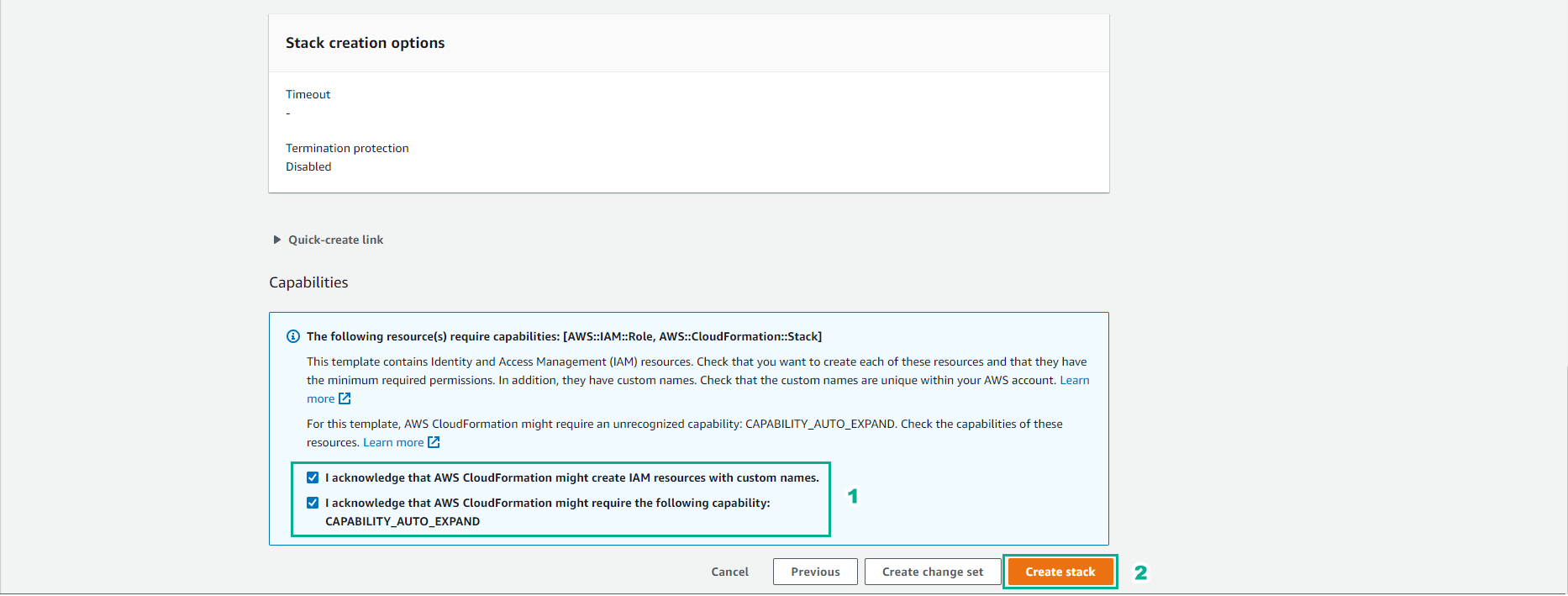
Confirm required IAM generation
- Select I acknowledge that AWS CloudFormation might create IAM resources with custom names.
- Select I acknowledge that AWS CloudFormation might require the following capability: CAPABILITY_AUTO_EXPAND
- Select Create Stack
-
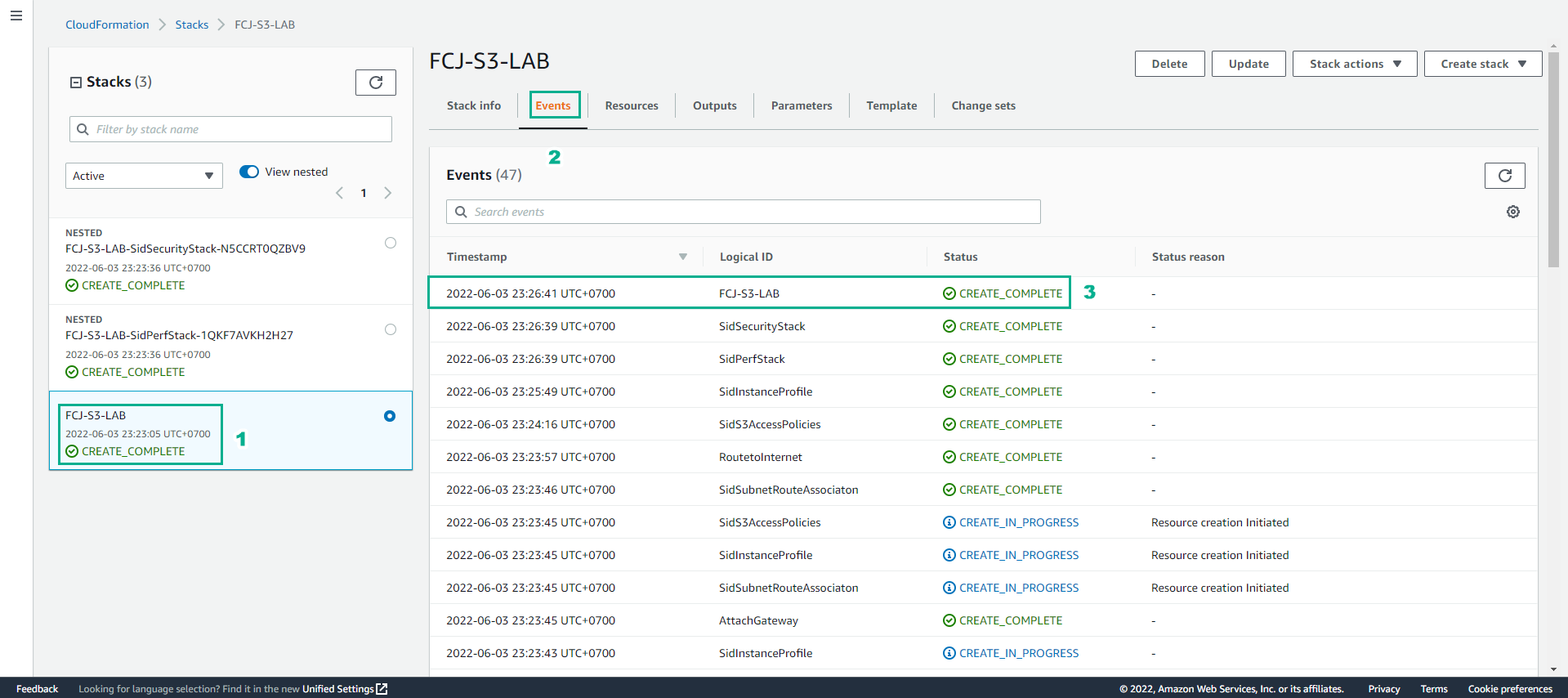
Complete the Stack creation process
- When the status of the stack changes to CREATE_COMPLETE