Generate access key
Generate an access key for IAM user
The access key is the permanent credential for the IAM user or the root user of the AWS account. You can use access keys to programmatically sign requests to the AWS CLI or AWS API (either directly or using the AWS SDK). An access key consists of two parts: an access key ID (e.g. AKIAIOSFODNN7EXAMPLE) and a secret access key (e.g. wJalrXUtnFEMI/K7MDENG/bPxRfiCYEXAMPLEKEY). As the username and password, you must use both the access key ID and the secret access key together to authenticate your requests. Manage your access keys as securely as you use your username and password.
-
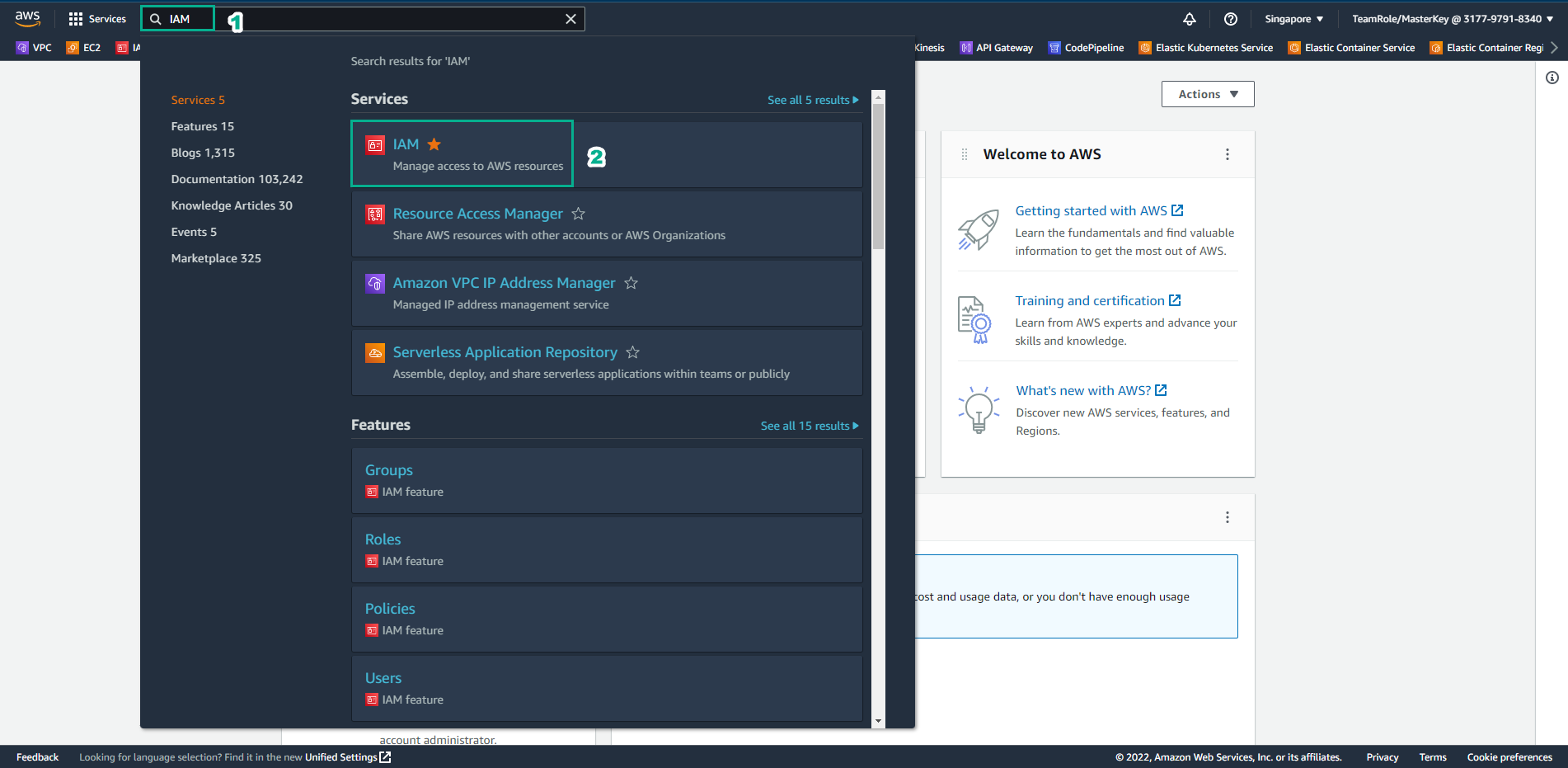
Access the AWS Management Console interface
- Find IAM
- Select IAM
-
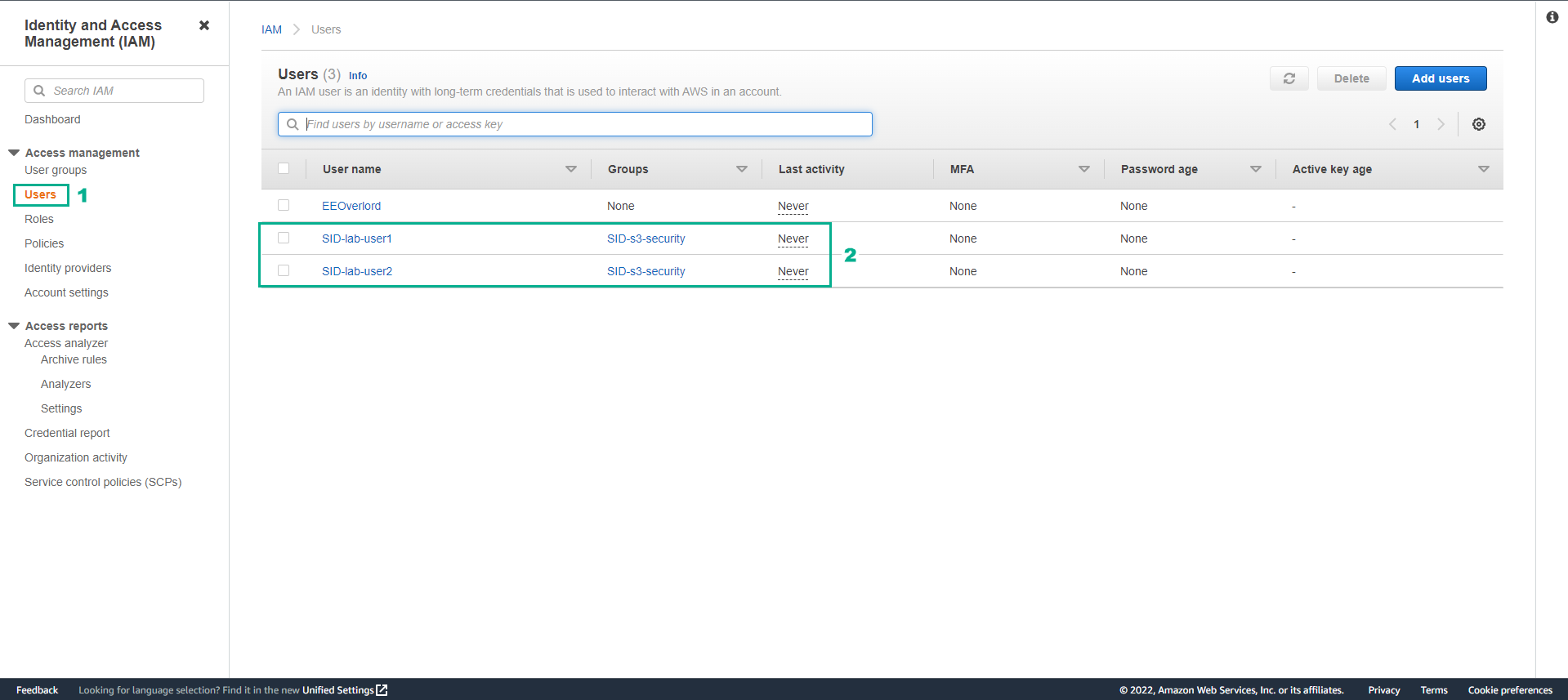
In the IAM interface
- Select Users
- We have 2 users SID-lab-user1 and SID-lab-user2
- Select user SID-lab-user1
-
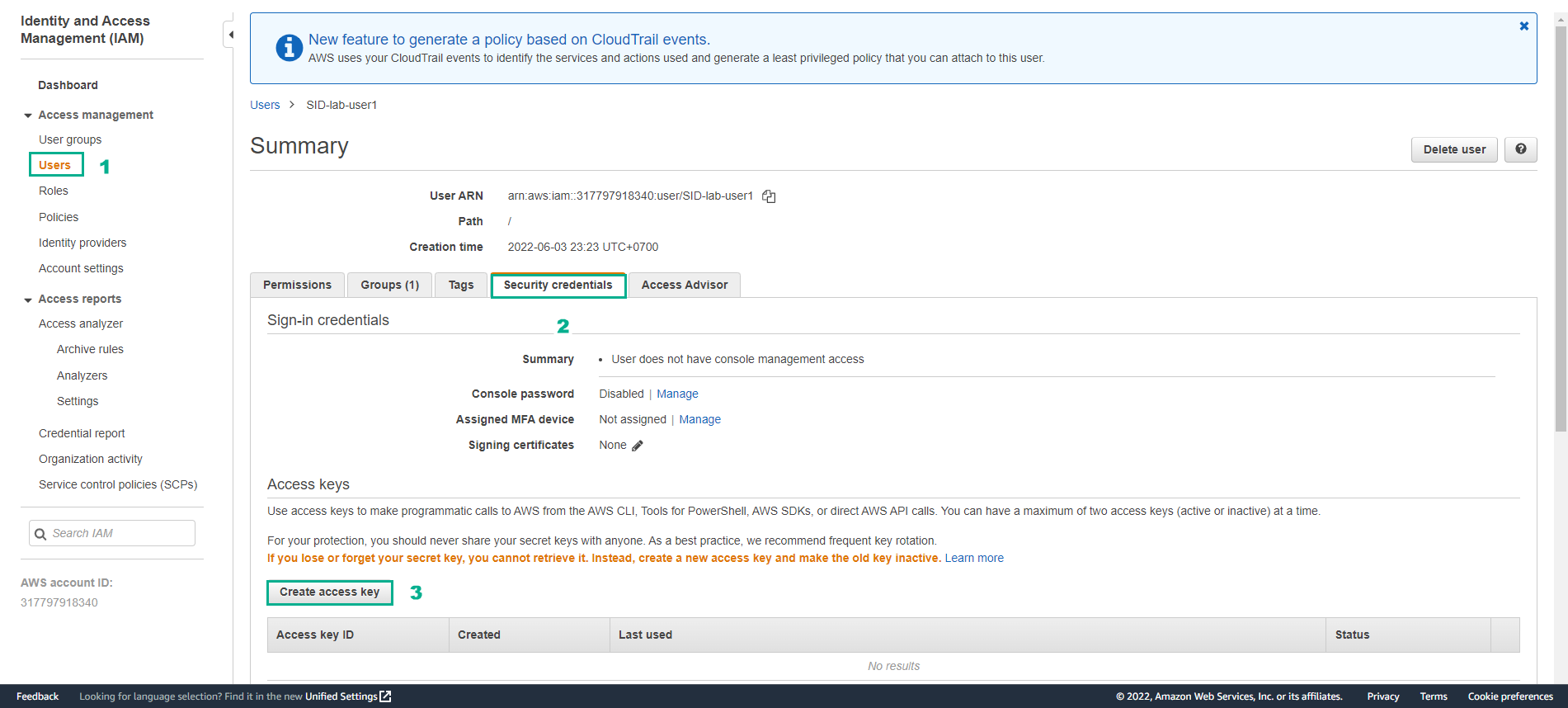
In the SID-lab-user1 interface
- Select Security credentials
- Select Create access key
-
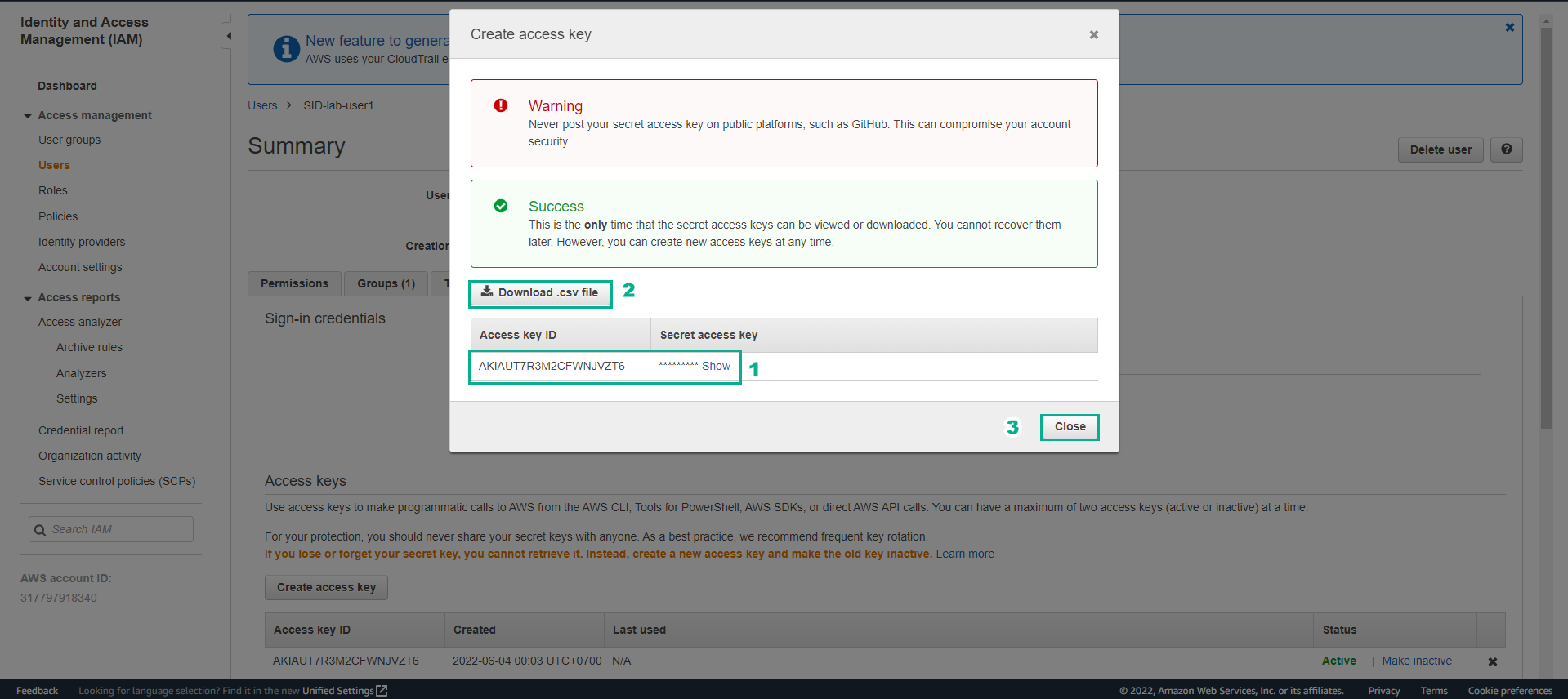
Generate access key successfully.
- View key details
- Select Download.csv file
-
Do the same with SID-lab-user2
- Then note down the information of the 2 keys.
