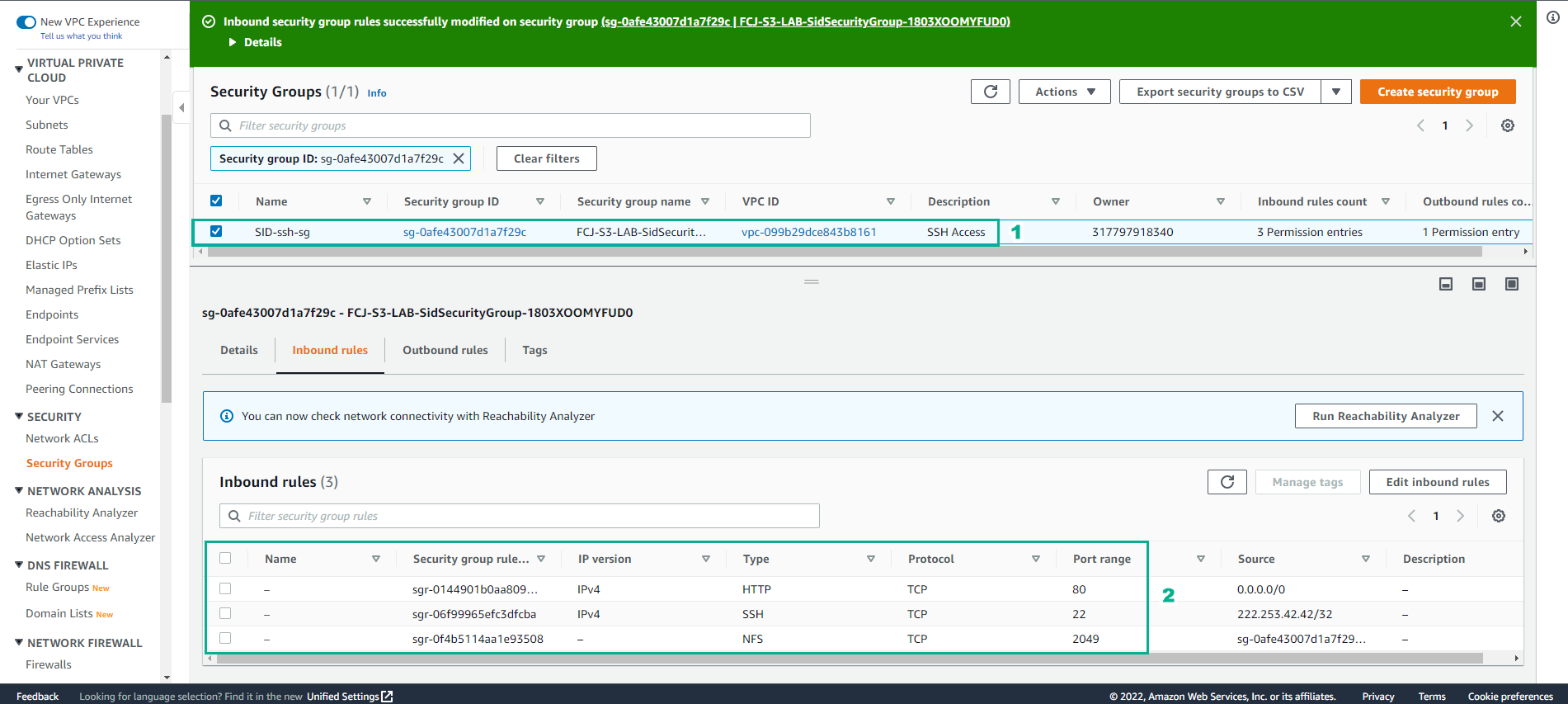
Secure Network Access
Safe internet access
Configure Security Group for the lab.
-
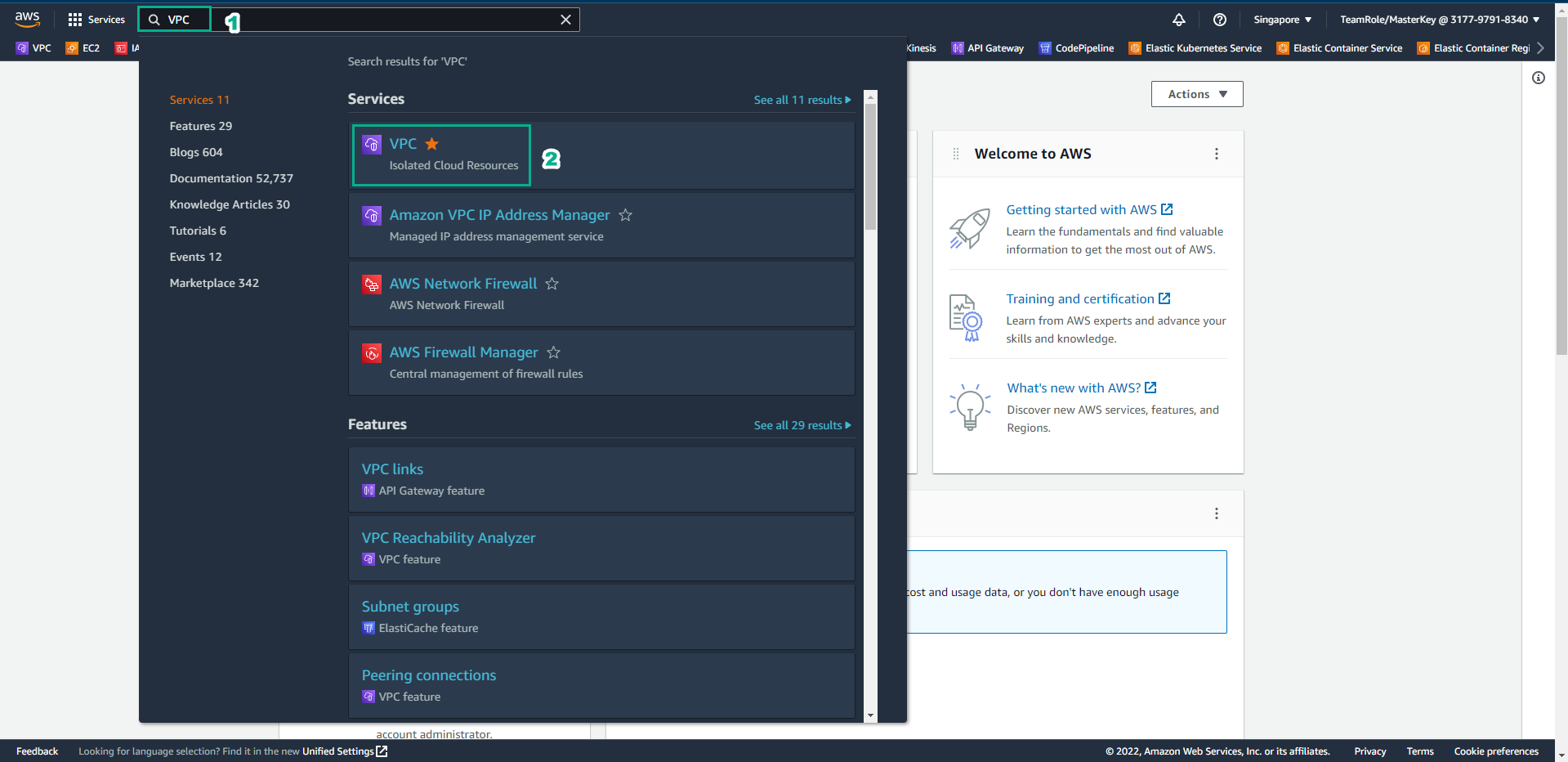
In the AWS Management Console interface
- Find VPC
- Select VPC
-
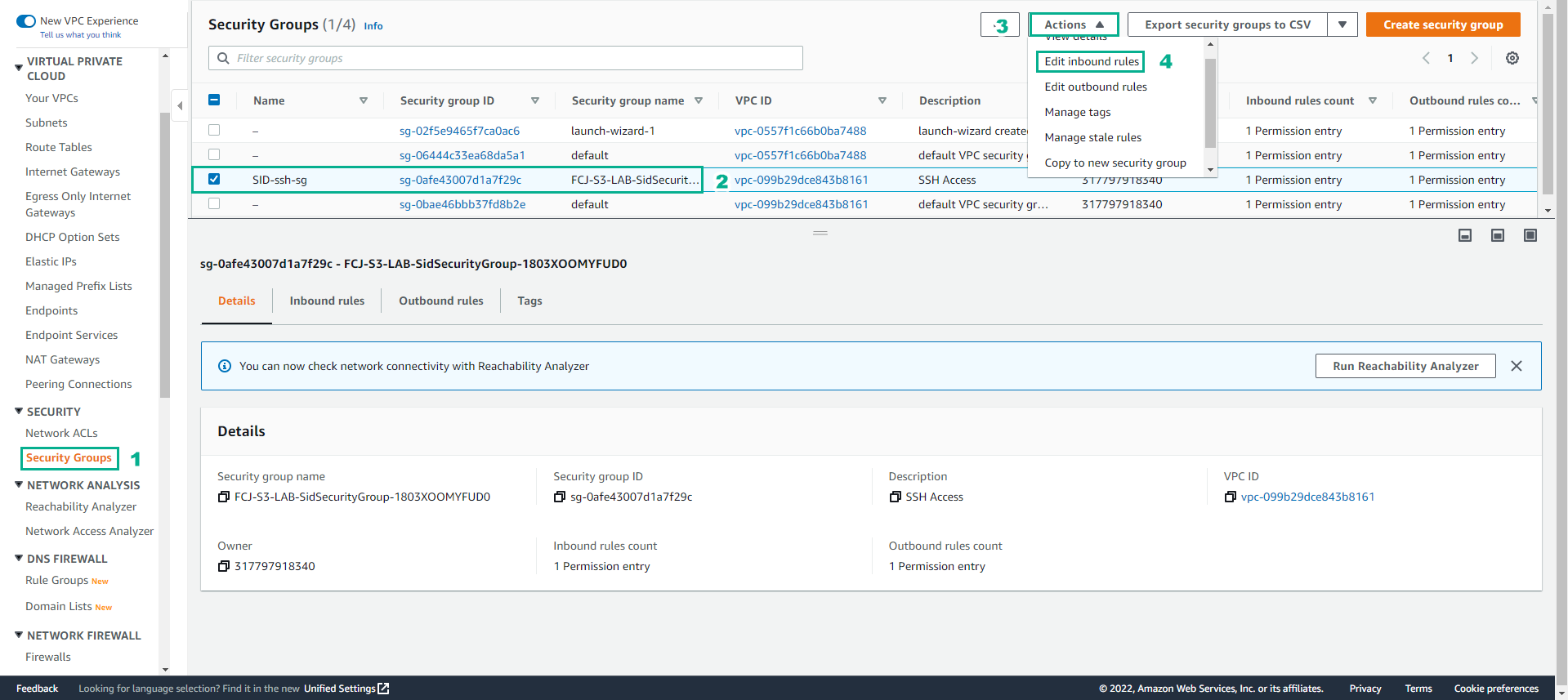
In the VPC interface
- Select Security Group
- Select SID-ssh-sg
- Select Actions
- Select Edit inbound rules
-
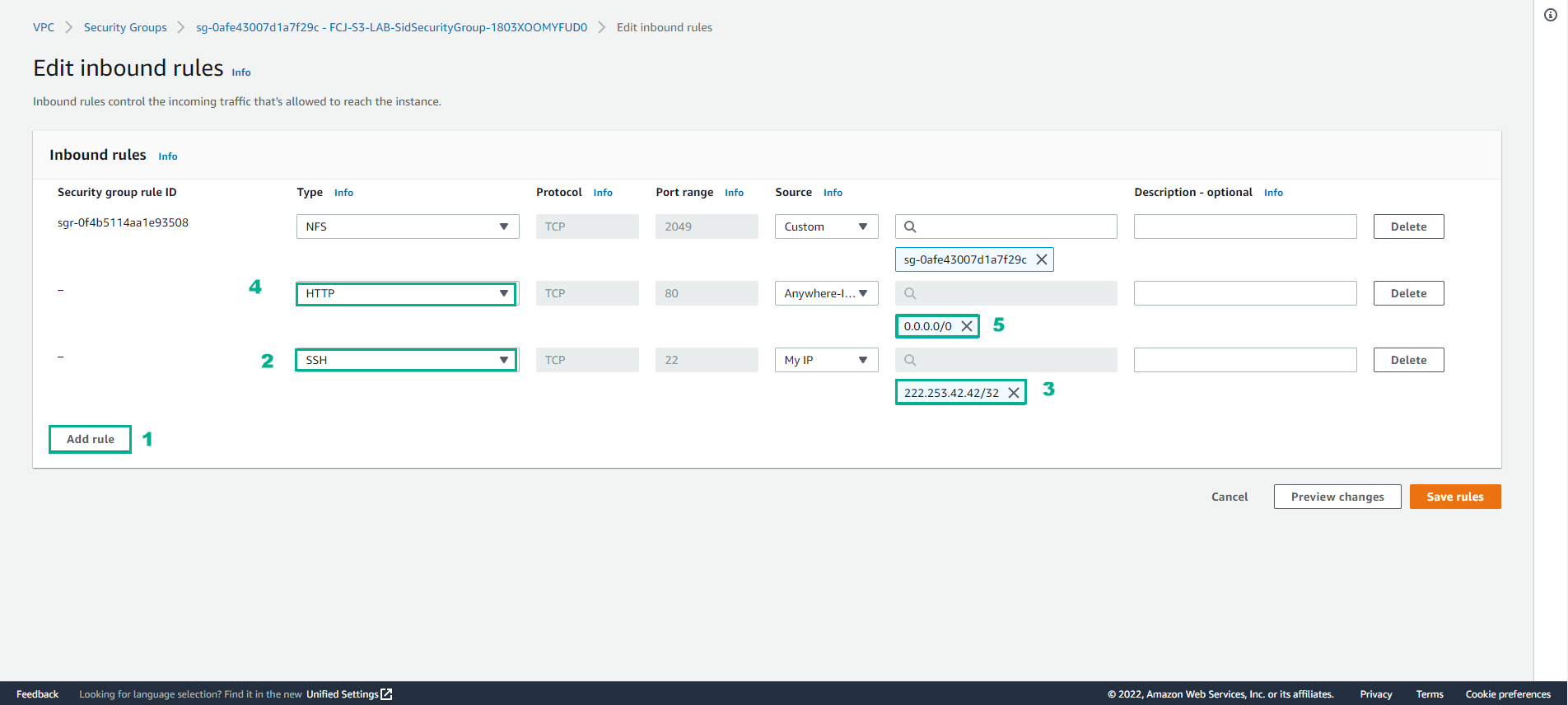
Configure Inbound rules
- Select Add rule
- Select Type HTTP, Source Anywhere-IPv4
- Select Type SSH, Source MyIP (in case you can’t connect, you can change it to Anywhere-IPv4)
- Then select Save rules
- Check the configured Security Group